Skip to content

Save the date

Announce the date. Invite later.

Your loved ones save the date today and add it to their calendar. The same link will become the full invitation.

Free beta · No ads · Your guests don’t need an account

Your invitation is on its way…

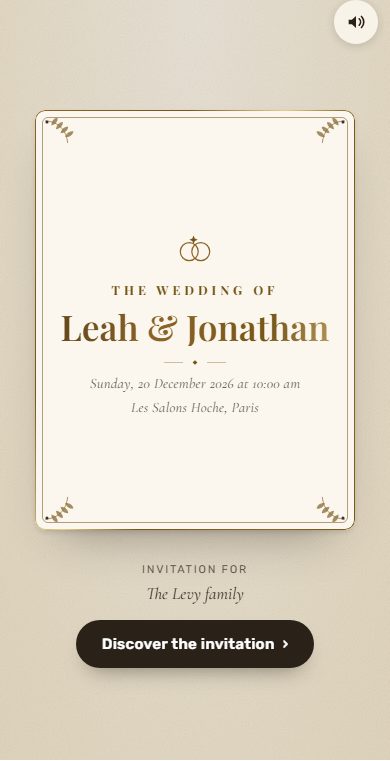
A real Tov design, as a save-the-date.See the invitation designs

How it works

One link, from save-the-date to celebration.

  1. You announce

    Names, civil and Hebrew date, city: a few minutes is enough. Then you send it over WhatsApp.

  2. They save the date

    One tap, and the date is saved. It lands in their calendar too.

  3. You invite

    The same link becomes the full invitation. Nothing to retype.

What Tov adds

More than a date sent.

Three things an ordinary save-the-date doesn’t do.

Calendar

A calendar that updates itself

Guests add the date to their calendar once. When you publish the full invitation, the time, the address and the program arrive in their calendar, with nothing to redo.

On iPhone, Mac, Outlook and Google Calendar on a computer. On Android, a simple one-time add, without automatic updates.

Changes arrive at the pace of each calendar app.

Example: a wedding on Sunday, June 13, 2027, in Jerusalem

Coming from far away? Shavuot then Shabbat right before: arrive by Thursday 10 June, before 07:04 pm.

Far-away guests

Guests from far away know when to arrive

Tov looks at Shabbat and the holidays where the celebration takes place, and tells your guests when to arrive.

Times are calculated for the celebration’s location. For a special case, ask your rabbi.

Family

One link for the family WhatsApp group

Drop a single link in the group. Everyone answers “Who are you?” and shares a number: your guest list builds itself.

You stay in control: you can close the link at any time, and only organizers see the answers.

Timing

When should you send it?

As soon as the date is firm. A few guidelines:

  • Wedding, guests abroad

    6 to 8 months before

    Time to book flights and arrange time off.

  • Wedding, guests nearby

    3 to 4 months before

    Time to block calendars before the full invitation.

  • Bar or bat mitzvah

    As soon as the date is set

    The date is often known long in advance: announce it right away.

These are guidelines, not rules: you know your guests.

Questions

What people ask us.

What is a save-the-date?

A short announcement sent before the invitation: the names, the date and the city. It blocks the date in calendars. The full invitation (venue, program, each household’s answer) follows later.

Do I need to know the time and the address yet?

No. The day and the city are enough. The time, the address and the program arrive with the full invitation, at the same link.

Do my guests have to answer?

They can save the date with one tap, or say they won’t be able to make it. It is not yet about how many people are coming: the final answer is given on the full invitation.

How do I send it?

Over WhatsApp, household by household with a personal link, or with a single link dropped in the family group. Tov sends nothing on your behalf.

What if the date changes?

You change it, and Tov offers to notify the households that already received the save-the-date: they save the new date with one tap. In calendars that are already subscribed, the date updates.

Is it free?

Yes, during the beta, like all of Tov. If paid options arrive, you will be told beforehand.

Is your date set?

Announce it today.

Create my save-the-date