Quick invitation
A quick invitation, one link for everyone.
Pick the celebration, the names and the template, add the date and the venue: within minutes, your invitation is online. One link to paste in the WhatsApp group, and the replies land in “Follow up”.

How it works
A few screens,
and your link is ready.
The celebration
Wedding, bar or bat mitzvah, birthday, brit milah, henna and more: you start with the celebration.
The names
The names to put on the invitation, written once. You choose the invitation’s language on the same screen.
The template
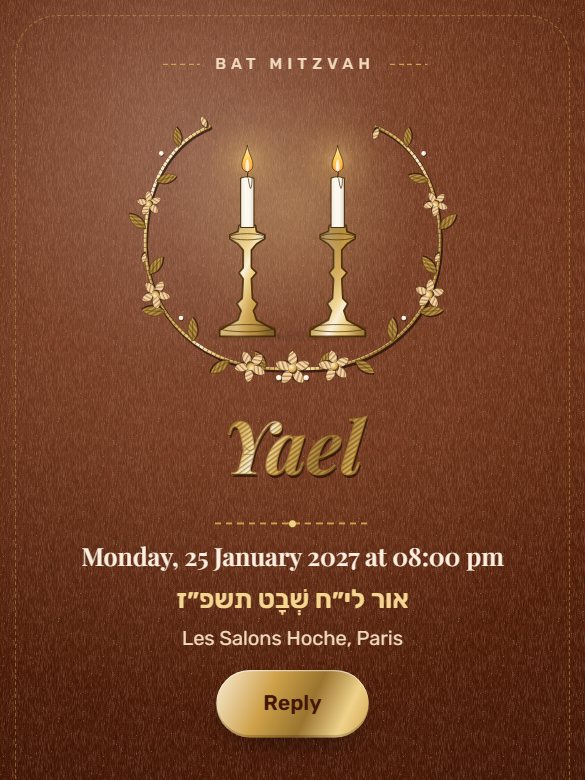
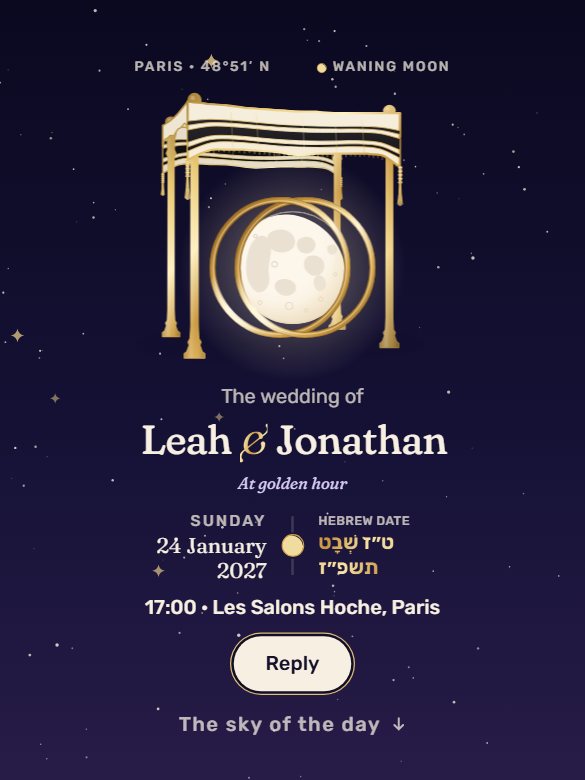
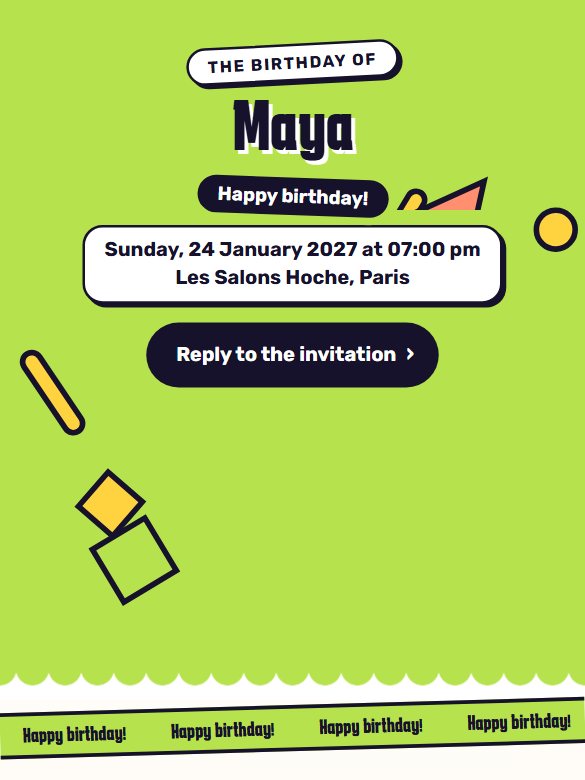
Every template in the catalog works for the quick invitation too. Pick the one that feels like you.
One link for everyone
When asked “How would you like to invite?”, choose “One link for everyone”: a page for a single event, with no guest list.
The date and the venue
The day, the time and the venue: that’s all it takes. Then a few words of your own, and a photo if the template has room for one.
Share the link
Create your account: the invitation goes online. Tap “Share on WhatsApp” or “Copy link”, and paste it in the group.
In the group
One link,
and everyone replies.
- In WhatsApp
A single message
Paste the link in the family group, the friends’ group or the class group. Someone isn’t in it? Send them the same link.
- When they open it
The same page for everyone
The template, the names, the date, the time, the venue and your text. No guest names, no music: one invitation for the whole group.
- When they reply
Yes, maybe or no
Everyone replies in seconds: how many people are coming, and a few words if they feel like it.
- On your side
It all lands in “Follow up”
“18 coming” in big letters, the yes, maybe and no, then the latest replies first, each with its message.
Two ways to invite
A link for each family
or one link for everyone?
A link for each family
- Several moments: chuppah, henna, sheva brachot…
- Each family sees only its own moments.
- A personal link for each family, sent on WhatsApp.
- Reminders and tracking family by family, a seating chart.
- A save the date before the invitation, if you like.
One link for everyone
- A single event: one date, one venue.
- A general invitation, with no guest names.
- One link to paste in a WhatsApp group.
- No guest list to prepare.
- Replies in “Follow up”: who’s coming, how many, their messages.
Our tips
Six tips for a link
people actually answer.
What works best in a WhatsApp group.
Write the full venue
The name of the hall and the city, the way you would search for it on a map. It’s the first question the group would ask you.
Add a few words of your own
One sentence is enough: “We would be so happy to see you.” A warm message makes people want to reply.
One group, or several
The same link works in the family group, the friends’ group or the class group. All the replies land in the same place.
Brit milah: no name yet
The boy’s name is given at the ceremony. Announce “our son’s brit milah”: the invitation doesn’t need his name.
Share the link again a few days before
Post the link in the group again with a short note: anyone who hasn’t replied yet finds it right away.
A big celebration? A link per family
Several moments, a guest list, a seating chart: “Organize”, in “Follow up”, moves you to a link for each family. The replies you already have stay.
Quick invitation questions
Your questions,
our answers.
What is the Tov quick invitation?
An online invitation for a single event, with one link for everyone. You share it in a WhatsApp group, everyone opens it and replies, and you see the replies in “Follow up”.
How long does it take to create?
A few minutes: the celebration, the names, the template, “One link for everyone”, the date and the venue, then your text. Once your account is created, the invitation goes online, ready to share.
Do I need a guest list?
No. The same link works for everyone: there’s no one to enter in advance. Each person replies on their own, and the reply lands in “Follow up”.
Are my guests’ names written on the invitation?
No. It’s a general invitation: the same page for the whole group, with no guest names. For an invitation addressed to each family, choose “A link for each family”.
Can I invite people to several moments?
The quick invitation shows a single event: one date, one venue. For a chuppah and a party, a henna or sheva brachot, choose “A link for each family”: each family sees only the moments it’s invited to.
Which templates can I choose?
Every template in the catalog: they work for both ways of inviting. You choose the template first, then how you want to invite.
Can I add a photo? What about music?
A photo, yes, if the template you chose has room for one: it’s optional. Two photo templates, Premiere and Tear-off calendar, need it before the invitation can go online. For a brit milah, no photo is offered. Music doesn’t play in the quick invitation.
How do I send the invitation?
With “Share on WhatsApp” or “Copy link”, as soon as the invitation is ready. Paste the link in a WhatsApp group, or send it to one person directly: it’s the same link for everyone.
Where do I see who’s coming?
In “Follow up”: the number of people coming, the yes, maybe and no, and the latest replies first, each with its message.
Can I switch to a link for each family later?
Yes. In “Follow up”, “Organize” takes you to your guests: add the families, and each one gets its own link. The replies already received through the link for everyone stay.
How much does it cost?
Tov is free during the beta, with no ads and no credit card.
Your turn
The invitation for your celebration,
ready in minutes.
Free beta. No credit card. No ads.
Create my invitation